Channel Navigator
Previous Top Next

  
graphic
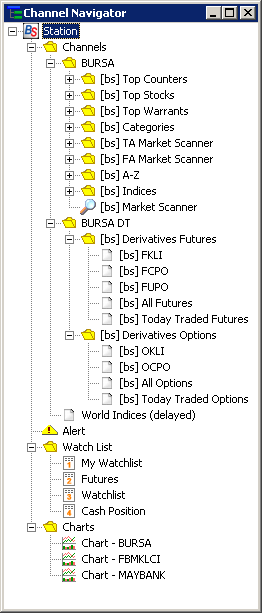
•    The Channel Navigator allows you to navigate through the different categories of stocks, warrants, indices and watchlists.

•    To show/hide the Channel Navigator, click on the graphic icon in the Standard Toolbar.

•    To view the desired category, click on the item to open it as a panel in the Main Frame.

•    In the Channel Navigator, you can select the Bursa counters based on:
1.   Top Counters
2.   Top Stocks
3.   Top Warrants
4.   Categories
5.   Numerically
6.   Alphabetically

•    In the Channel Navigator, you can select the Bursa Derivatives based on:
1.   FKLI (KLCI Futures)
2.   FCPO (Crude Palm Oil Futures)
3.   All Derivatives
4.   Today Traded Derivatives

Alphabetically
•    Or you may select:
1.   Indices
2.   Counters in your Alerts
3.   Counters in your Watchlist

  
Hint:
You can also click on the icons in the Channels Toolbar instead of using the Channel Navigator.