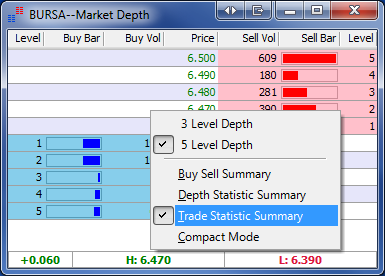
Opening the Market Depth
OR
OR
Select the preferred counter and press F10 from your keyboard.
Explanation
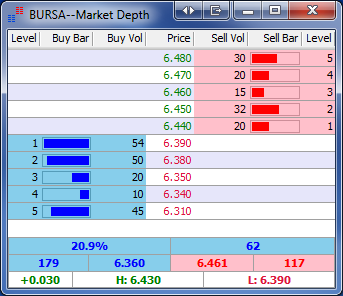
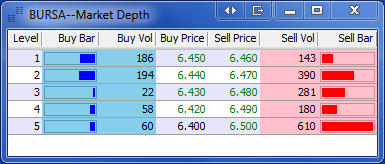
Market depth information provides queue information. Users can see the buy and sell
volumes for the buy and sell queues. This information is provided real-time and color coded to
differentiate the buy and sell queues. Blue indicates the buy queue and red indicates the sell
queue.
Changing Market Depth Level View
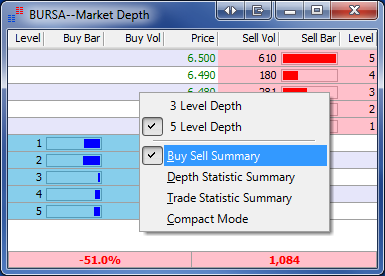
Right click on the Market Depth and select the desired level view
Buy Sell Summary
The percentage value shows the difference in buy volume and sell volume divided by the total
volume shown in the market depth. This percentage signals the buying or selling strength in
the queue. The second value in the summary bar is the difference in buy volume and sell
volume To show this summary bar, right click as shown below.
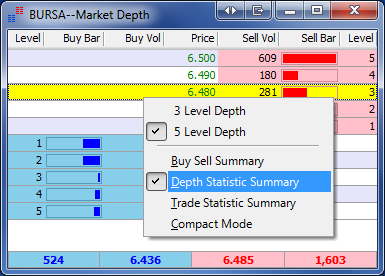
Depth Statistic Summary
The Depth Statistic Summary shows the total volume and average price in the buy and sell
queue.
Trade Statistic Summary
The Trade Statistic Summary bar shows the Change, High and Low price of the day.