Stock Database
Previous Top Next


Overview
  
graphic
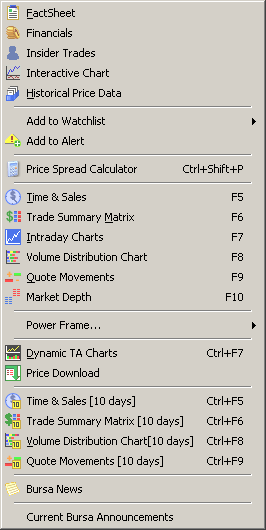
To access the Stocks Database, right click on a stock in the Main Frame. The Stock Database menu will open. It contains the following items:

1.   Factsheet
2.   Financials (Optional)
3.   Insider Trades (Optional)
4.   Interactive Chart
5.   Historical Price Data
6.   Add to Watchlist
7.   Add to Alert
8.   Price Spread Calculator
9.   Time & Sales
10. Trade Summary Matrix
11. Intraday Charts
12. Volume Distribution Charts
13. Quote Movements
14. Market Depth
15. Power Frame
16. Dynamic TA Chart (Optional)
17. Time & Sales [10 Days]
18. Trade Summary Matrix [10 Days]
19. Quote Movements [10 Days]
20. Bursa News